-
Cetagory
Software & Applications
AI-Powered Software: 12 Game-Changing Applications You Need to Know About
- Admin
AI-powered software is changing how people create content, analyze information, serve customers, and manage everyday work. The most useful applications do more than generate impressive demonstrations: they help complete specific tasks, often by recognizing patterns, making predictions, or producing drafts that a person can review. This guide explains 12 important application areas, what they are good at, where they fall short, and how to adopt them responsibly.
What Is AI-Powered Software?
AI-powered software uses techniques such as machine learning, natural language processing, computer vision, and generative AI to perform tasks that ordinarily require some form of human judgment. Examples include understanding a written request, identifying an object in an image, estimating demand, or suggesting a next step in a workflow.
The label covers very different products. A spam filter classifies messages, a recommendation system ranks items, and a generative assistant produces new text or images. Some products use AI as their central feature; others apply it quietly to improve search, predictions, accessibility, or automation.
How AI applications differ from traditional software
Traditional software generally follows instructions that developers specify in advance. AI systems can use patterns learned from data to make predictions or generate outputs for inputs that were not individually programmed. That flexibility can make them useful for complex tasks, but it also means their results may be uncertain or inconsistent.
An AI system does not necessarily understand a request as a person does. A language model, for example, generates text based on patterns in its training and context. Its fluent answer can still contain errors, omit important qualifications, or reflect limitations in its data.
AI, automation, and generative AI
Automation means using technology to carry out a process with reduced manual effort. Automation does not always involve AI: a rule that routes every invoice above a set amount to a manager is ordinary rules-based automation. AI can make automation more adaptable by interpreting documents, classifying messages, or predicting which cases need attention.
Generative AI is a category of AI that creates outputs such as text, images, audio, video, or code in response to instructions and context. It is one visible part of the broader AI landscape, not a synonym for every AI application.
Why AI-Powered Software Matters
AI applications can make certain tasks faster, help people explore large amounts of information, and support new ways of working. A small business might use an assistant to draft a first version of customer communications, while an analyst could use a forecasting system to compare scenarios. In each case, the software can reduce effort without removing the need for judgment.
The practical value depends on the task, data, and implementation. A tool that produces a quick draft may save time if a knowledgeable person can review it. The same tool may create extra work if its output requires extensive correction or introduces errors that are difficult to detect.
Where the benefits are most likely
- Repetitive work: Sorting, summarizing, or routing routine requests can free staff to handle exceptions and more complex work.
- Large volumes of information: Search and analysis tools can help people find patterns or relevant passages, subject to data quality and verification.
- First drafts and variations: Generative tools can produce starting points that a user edits for accuracy, tone, and audience.
- Accessibility: Speech recognition, captions, and text-to-speech can provide additional ways to access digital content.
What “game-changing” should mean in practice
A useful AI application changes a workflow for the better, not merely because it is novel. Assess whether it improves quality, turnaround time, accessibility, consistency, or cost in a measurable way. Consider the effort needed for review, training, integration, and maintenance as part of the result.
12 AI-Powered Software Applications to Know
The following categories show how AI is being applied across work and personal tasks. They describe capabilities rather than endorse particular products. Features, pricing, data practices, and availability vary by provider and can change, so review current product documentation before choosing a service.
1. Writing, editing, and research assistance
AI writing assistants can help brainstorm topics, organize notes, summarize supplied material, adapt tone, and draft routine communications. Editing features may flag spelling, grammar, clarity, or style issues. These tools are most useful when the user provides a clear purpose, audience, and factual source material.
They are not a substitute for reporting or subject expertise. A generated citation, quotation, statistic, or explanation may be inaccurate or invented, particularly when the system is asked to answer without sources. Verify factual claims against trustworthy material, and do not submit confidential or personal information unless the service’s terms and your organization’s rules permit it.
Practical example: A project manager can turn meeting notes into a draft action list, then compare it with the recording or original notes before sending it to colleagues.
2. AI-powered search and knowledge assistants
AI search tools can interpret natural-language questions and retrieve relevant passages from websites, company documents, or knowledge bases. Some summarize results or provide source references. This can be useful when a person knows what they need but not the exact search terms or document title.
Search summaries are not automatically authoritative. Check whether cited sources actually support the answer, whether the information is current, and whether important context was left out. For internal knowledge assistants, access controls matter: a system should not expose material to a user who is not authorized to see it.
3. Image generation and visual design
Image-generation software creates or edits visual material from written prompts, reference images, or design controls. Designers may use it to explore concepts, create rough mock-ups, or produce variations before refining a final asset. Some tools also support tasks such as background removal, image expansion, and object editing.
Generated images can contain visual inconsistencies, unsuitable details, or results that do not match a brand’s needs. Review outputs carefully, especially when images depict real people, products, or events. Check licensing and usage terms, and avoid presenting synthetic imagery as documentary evidence.
4. Video editing and production support
AI features in video software can help generate captions, transcribe speech, identify scenes, remove background noise, or create short edits from longer recordings. Some systems generate video clips or assist with translation and voice-over production. These applications can reduce manual editing work, particularly for repetitive tasks.
Human review remains important. Automated captions can mishear names and technical terms; translated dialogue can lose meaning; and synthetic voices or edited footage may mislead viewers if their nature is concealed. For public or high-stakes material, check accuracy, permissions, and disclosure expectations before publication.
5. Speech recognition and voice assistants
Speech-recognition software converts spoken language into text, while voice assistants can respond to spoken commands or questions. Common uses include dictation, meeting transcription, hands-free controls, and voice interfaces for customer support. Recognition quality can vary with accents, background noise, speaking pace, and specialist vocabulary.
Do not assume a transcript is exact. Review important recordings, correct names and figures, and obtain any consent required before recording or processing conversations. Voice systems also raise privacy questions because recordings may contain personal, business, or sensitive information.
6. Coding assistants and software development tools
Coding assistants can suggest code, explain unfamiliar functions, draft tests, and help developers navigate a project. They may speed up routine work or offer ideas for an implementation. Their output must still be reviewed for correctness, security, performance, compatibility, and maintainability.
Generated code can contain bugs, use outdated approaches, or introduce security weaknesses. Developers should test it, understand what it does, and follow project review practices. Avoid pasting proprietary code, credentials, or sensitive data into a service unless its data handling and organizational approval are clear.
7. Customer service chatbots and support tools
AI customer-service systems can answer common questions, guide users through standard processes, and help human agents retrieve relevant information. A well-designed system makes it clear when a customer is interacting with automation and provides a straightforward route to a person when the issue is unusual, sensitive, or unresolved.
Chatbots can frustrate customers when they misunderstand requests, repeat unhelpful answers, or block access to human support. Businesses should define escalation rules, test realistic edge cases, monitor answer quality, and make sure the system does not invent policies or commitments.
8. Data analysis and business intelligence
AI-enabled analytics can help users query datasets in natural language, identify unusual values, classify feedback, or suggest trends for further investigation. This may make data more accessible to people who do not write code, but a natural-language interface does not remove the need to understand the underlying data.
Check definitions, data coverage, and assumptions before acting on an analysis. A pattern is not necessarily a cause, and a model’s prediction is not a guarantee. If the source data is incomplete, biased, or outdated, the resulting analysis may lead to a confident but misleading conclusion.
9. Forecasting and decision support
Forecasting systems use historical and contextual data to estimate possible future outcomes, such as demand, inventory needs, or workload. Decision-support tools may compare scenarios or flag cases for review. They can help organizations plan, but predictions are conditional on the data and assumptions used.
Use forecasts alongside domain knowledge rather than treating them as instructions. Ask how the system was evaluated, what data it uses, and how it performs when conditions change. For consequential decisions affecting people, establish human oversight and a way to challenge or correct errors.
10. Recommendation and personalization systems
Recommendation engines rank products, media, learning materials, or other options based on user behavior and item characteristics. They can make large catalogs easier to navigate and help people discover relevant choices. Personalization may also help businesses tailor a message or experience to a particular audience.
Recommendations reflect the goals and data of the system, not an objective definition of what is best. They may reinforce narrow preferences, miss new interests, or prioritize commercial outcomes. Useful controls include ways to adjust preferences, understand why an item was suggested, or browse beyond personalized rankings.
11. Workflow automation and document processing
AI-assisted workflow tools can extract information from documents, classify incoming requests, route tasks, and trigger follow-up steps. For example, a system might read a form and direct it to the appropriate team. These applications can reduce manual handling when inputs are predictable and exceptions are managed well.
Set clear boundaries for automated actions. An incorrect classification may delay a request or send data to the wrong place. Start with low-risk tasks, test unusual cases, keep a human review step where errors matter, and maintain a process for correcting records.
12. Accessibility and language tools
AI can support accessibility through automatic captions, speech-to-text, text-to-speech, image descriptions, and translation. These features can help people access content in different formats or languages. They may also make everyday digital tasks easier for people with differing sensory, language, or communication needs.
Automated accessibility features should be treated as assistance, not proof that content is accessible. Captions and translations can be wrong, and generated image descriptions may miss relevant details. Review important material with the intended audience and provide alternatives where accuracy or access is essential.
How to Choose AI Software for Your Needs
Start with a defined problem rather than a list of fashionable features. Identify who performs the task, what makes it difficult, what a good result looks like, and what risks a failure would create. This makes it easier to compare tools fairly and avoid adopting software that does not address a real need.
A practical evaluation checklist
- Describe the workflow: Record the current steps, time involved, common exceptions, and existing systems.
- Set success measures: Choose relevant measures such as accuracy, time saved, completion rate, accessibility, or user satisfaction.
- Test representative examples: Include ordinary cases, difficult inputs, and exceptions—not just a polished demonstration.
- Review data handling: Understand what information the provider collects, stores, uses for training, or shares, as described in its current terms and controls.
- Check integration and oversight: Confirm compatibility with existing systems and decide who reviews outputs, handles errors, and maintains the workflow.
- Run a limited pilot: Compare results with the current process and gather feedback before expanding access or automating more steps.
Compare the total operating effort, not only the subscription price. Training, review time, integration, governance, and correcting mistakes can affect whether a tool is worthwhile. For sensitive or regulated information, involve the appropriate privacy, security, legal, or compliance specialists before deployment.
Benefits and Limitations of AI Applications
| Potential benefit | Possible limitation | Practical response |
|---|---|---|
| Faster completion of routine tasks | Review and correction may consume the time saved | Measure end-to-end effort, including checking |
| Help with large or complex information sets | Incomplete data can produce misleading results | Check data sources, coverage, and assumptions |
| More accessible ways to interact with content | Captions, descriptions, or translations can be inaccurate | Review important material and provide alternatives |
| Support for personalized experiences | Recommendations can be narrow or commercially biased | Offer user controls and non-personalized options |
These trade-offs are not unique to one product category. A tool can perform well in one setting and poorly in another because the task, users, data, or consequences differ. Evaluation should therefore reflect the conditions in which the software will actually be used.
Privacy, Security, and Responsible Use
Before submitting information to an AI service, determine whether it includes personal data, confidential business material, health information, credentials, or other sensitive content. Read the provider’s current privacy and security documentation, check available retention and access controls, and follow applicable workplace policies. The right safeguards depend on the service and the information involved.
Responsible use also means being transparent when automation materially affects a person or when synthetic content could be mistaken for authentic material. Keep humans involved in decisions that require context, accountability, or careful treatment of individuals. Record who is responsible for reviewing the system and responding when it fails.
Legal requirements differ by country, industry, and use case. Organizations should not assume that one jurisdiction’s rules apply everywhere, or that a tool’s general-purpose terms settle their obligations. Seek qualified legal or compliance guidance when a deployment may affect regulated data or consequential decisions.
Common Mistakes When Adopting AI Software
Choosing a tool before defining the problem
A tool may attract attention without addressing a meaningful need. Define the task and desired outcome first, then assess whether AI is appropriate. A simple rules-based process or a clearer knowledge base may solve the problem more reliably.
Trusting confident output without checking it
Fluent writing and polished dashboards can create a false sense of certainty. Verify factual claims, calculations, code, and decisions against appropriate sources or tests. The amount of review should reflect the consequences of an error.
Ignoring edge cases and affected users
Testing only typical inputs can hide failures involving accents, unusual documents, accessibility needs, or uncommon customer requests. Include diverse, realistic cases in evaluation and ask the people who will use or be affected by the system to identify problems.
Automating a flawed process
AI can make an inefficient process faster without making it better. Map and improve the workflow before automating it, and retain a way to pause, reverse, or correct automated actions when necessary.
Overlooking data and maintenance responsibilities
Deployment is not a one-time decision. Data quality, product behavior, integrations, and user needs can change. Assign responsibility for monitoring performance, reviewing updates, addressing incidents, and deciding when a tool should be modified or retired.
A Sensible Way to Start
Choose one bounded task with clear inputs and an output that a knowledgeable person can check. Establish a baseline, run the AI-assisted version alongside the existing process, and record quality as well as speed. A pilot should include real workflow conditions but avoid exposing sensitive information unnecessarily.
If the trial shows a meaningful improvement, document the approved use, review process, escalation route, and limits. Train users to recognize uncertainty and protect data. Expand gradually, and reassess whether the tool continues to help as the workflow or product changes.
Frequently Asked Questions
What is AI-powered software used for?
AI-powered software can help with tasks such as drafting and editing, searching documents, recognizing speech or images, analyzing data, forecasting, recommending options, and automating workflows. Its usefulness depends on the specific task and the quality of its inputs. Many applications assist people rather than replace the need for review and decision-making.
Is generative AI the same as artificial intelligence?
No. Generative AI is one category of artificial intelligence that creates outputs such as text, images, audio, or code. Other AI applications classify information, make predictions, recognize patterns, or rank recommendations without generating new content. The term “AI-powered software” can refer to any of these capabilities.
Can AI software make mistakes?
Yes. AI systems can misunderstand instructions, produce inaccurate information, miss context, or behave differently with unfamiliar inputs. Errors can also come from incomplete or unsuitable data. Check outputs before relying on them, and use stronger review and safeguards when mistakes could have significant consequences.
How can I protect confidential information when using AI tools?
Do not enter confidential or personal information until you understand the service’s data practices and have permission under relevant policies. Review retention, access, and training-use settings, and use approved enterprise controls where appropriate. When in doubt, remove identifying details or consult your organization’s privacy and security team.
How do I know whether an AI tool is worth adopting?
Compare it with the existing process using representative tasks and agreed measures such as quality, time, accessibility, and total review effort. Include setup, training, integration, and error correction in the assessment. A limited pilot can reveal whether the tool improves the workflow enough to justify its ongoing costs and risks.
Conclusion
AI-powered software spans far more than chatbots and content generators. Writing assistance, search, design, speech, coding, analytics, forecasting, recommendations, workflow automation, and accessibility tools can all support useful work when applied to the right task.
The strongest approach is practical and measured: define the problem, test a tool with realistic examples, protect sensitive information, verify outputs, and keep accountable people involved. AI can extend what software helps people do, but informed oversight is what turns a promising capability into a dependable application.
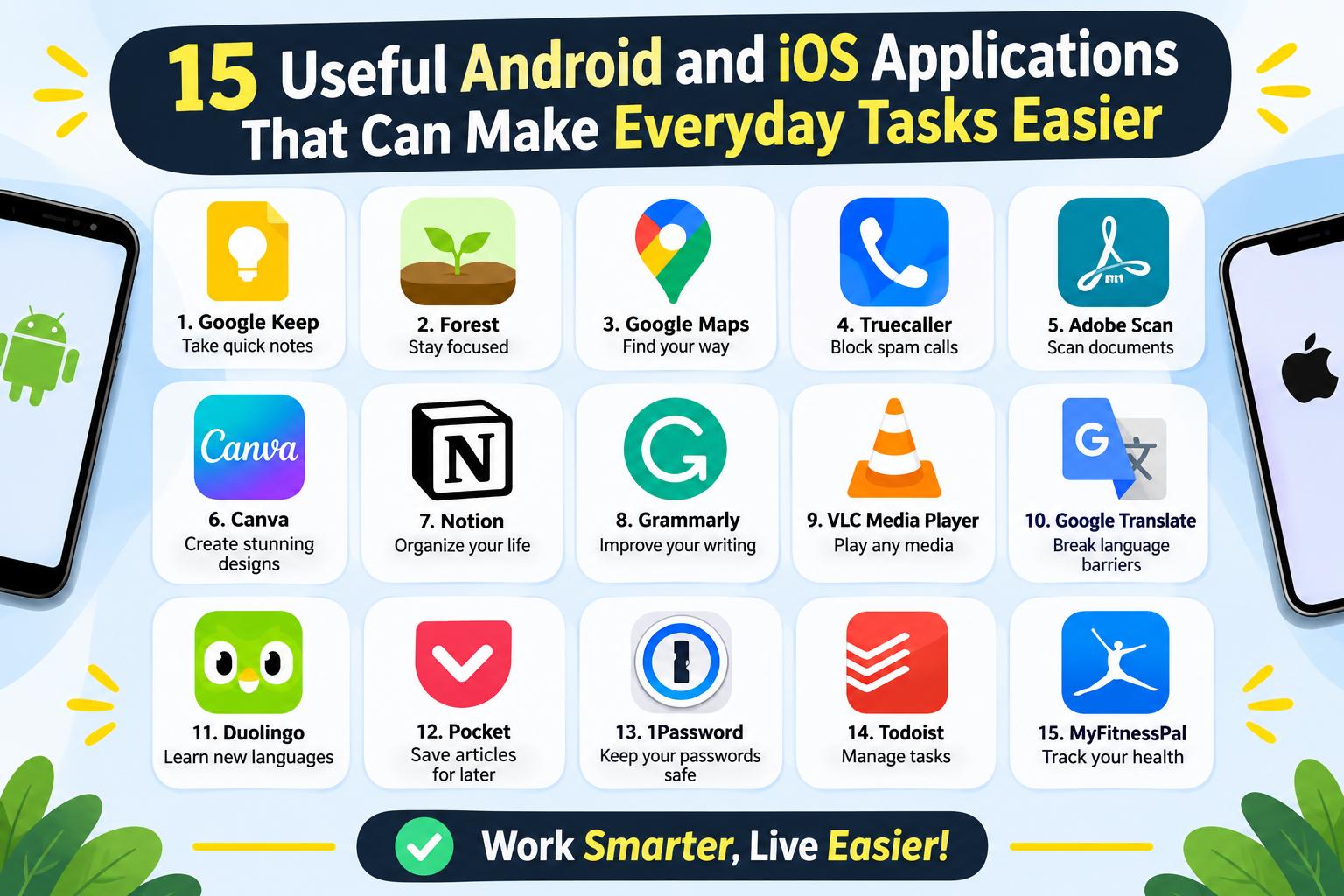
- 15 Useful Android and iOS Applications That Can Make Everyday Tasks Easier
-
 Health - 11:01:50pm 15-11-2026
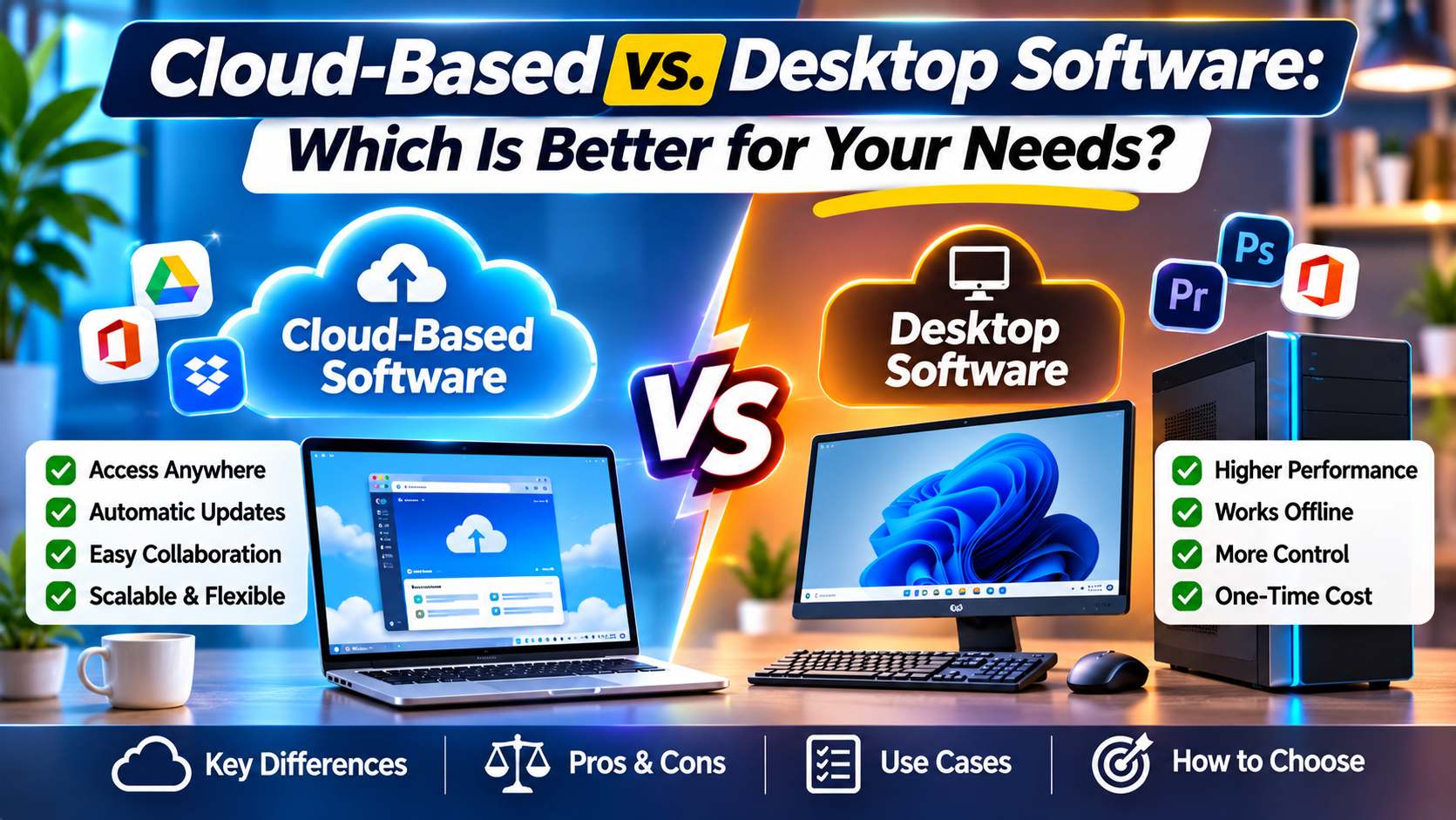
- Cloud-Based vs. Desktop Software: Which Is Better for Your Needs?
-
Health - 10:58:07pm 15-11-2026
-
 Blog
What Is the Best Cheap Car Insurance for Young Drivers
-
 Blog
Best Car Insurance for Electric Vehicles (EVs): Complete Guide for 2026
-
 Blog
Long Term Car Rental Discounts: The Complete Guide to Saving Big on Extended Rentals
-
 Blog
Health Insurance Exclusions: What to Check Before You Buy
-
 Blog
Health Insurance Waiting Period: What You Should Know Before Buying a Policy